
Microsoft Power BI is an analytics business tool that assists users in transforming raw data into an informative actionable insight on interacting and visualizing dashboards and reports. It enables individuals and businesses to explore the information, identify patterns, and make data-based choices in a very visual and easy to understand format.
Power BI has a broad range of data sources to connect to, including databases, databases, and cloud. That information can be then cleaned, transformed and visualized by users to respond to important business questions in real time.
It is a popular tool among business analysts, data teams, and decision-makers in every industry who need speedy, easy-to-use access to insights without bothering about code writing or the creation of elaborate reports manually.
Power BI in Legacy Modernization
Projects
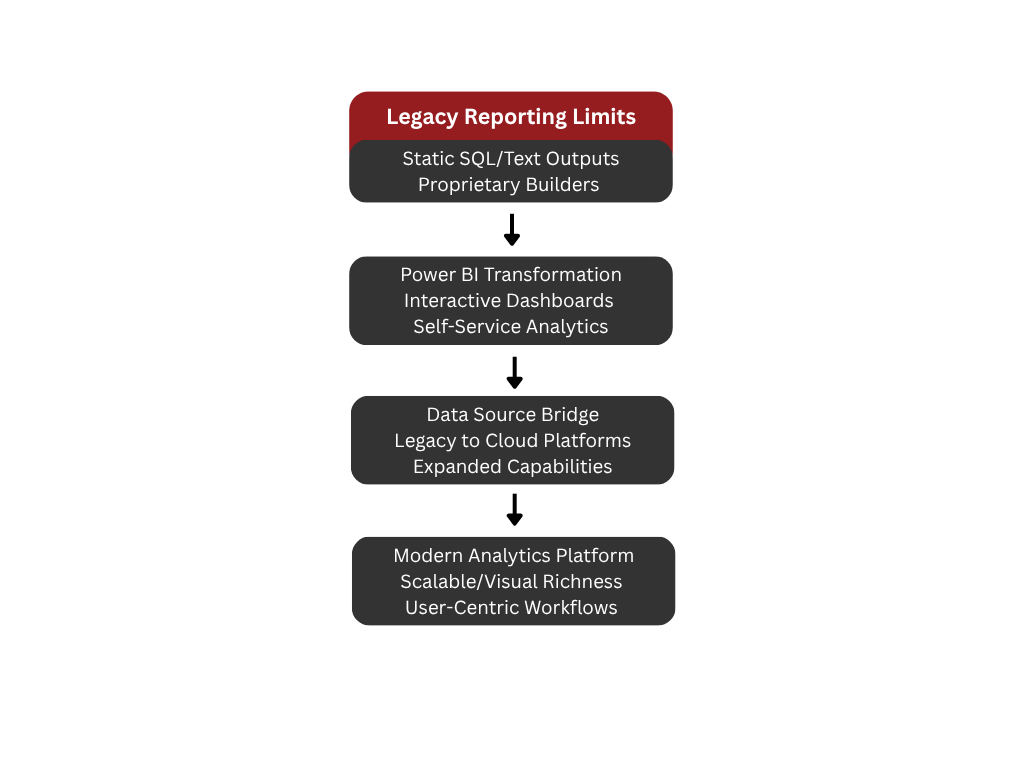
Power BI plays a critical role in legacy
modernization projects by transforming outdated reporting ecosystems into
modern, interactive, and scalable analytics platforms. Many legacy applications
rely on static reports generated through SQL scripts, text-based outputs, or
proprietary report builders that no longer meet the needs of contemporary
users. As organizations modernize their systems, they often seek to replace
cumbersome reporting workflows with visually rich dashboards and self-service
analytics. Power BI serves as a bridge between legacy data sources and modern
cloud-based platforms, enabling a smooth transition while expanding reporting
capabilities far beyond what older systems can provide.
Replacing Legacy Reporting Workflows
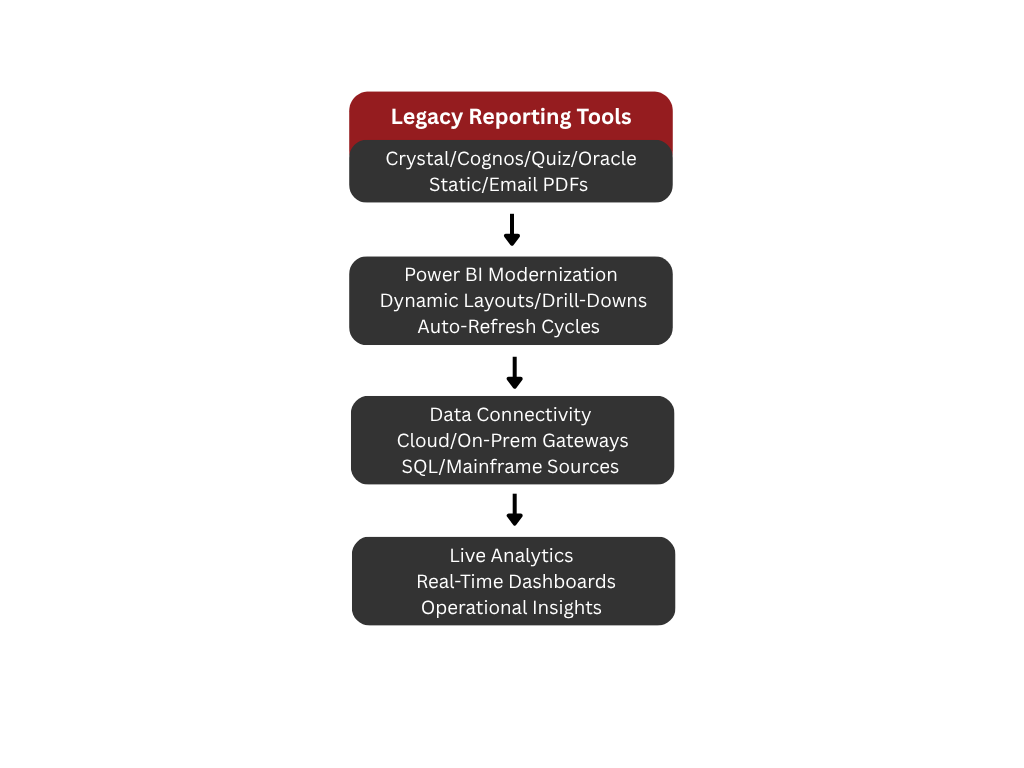
In modernization initiatives, Power BI
frequently replaces outdated reporting tools such as Crystal Reports, Cognos
Impromptu, PowerHouse Quiz, Oracle Reports, or bespoke in-house scripts. These
legacy systems typically lack interactivity, suffer from slow performance, and
cannot support real-time or near-real-time analytics. Power BI modernizes these
workflows by enabling dynamic layouts, drill-down capabilities, and automatic
refresh cycles. Instead of relying on static tables delivered via email or exported
as PDFs, organizations can shift toward live dashboards that reflect current
operational data. Additionally, Power BI’s cloud and on-premises gateway
options allow legacy databases—whether SQL-based or mainframe-derived—to feed
directly into new analytical models.
Integrating with Modernized Data
Architectures
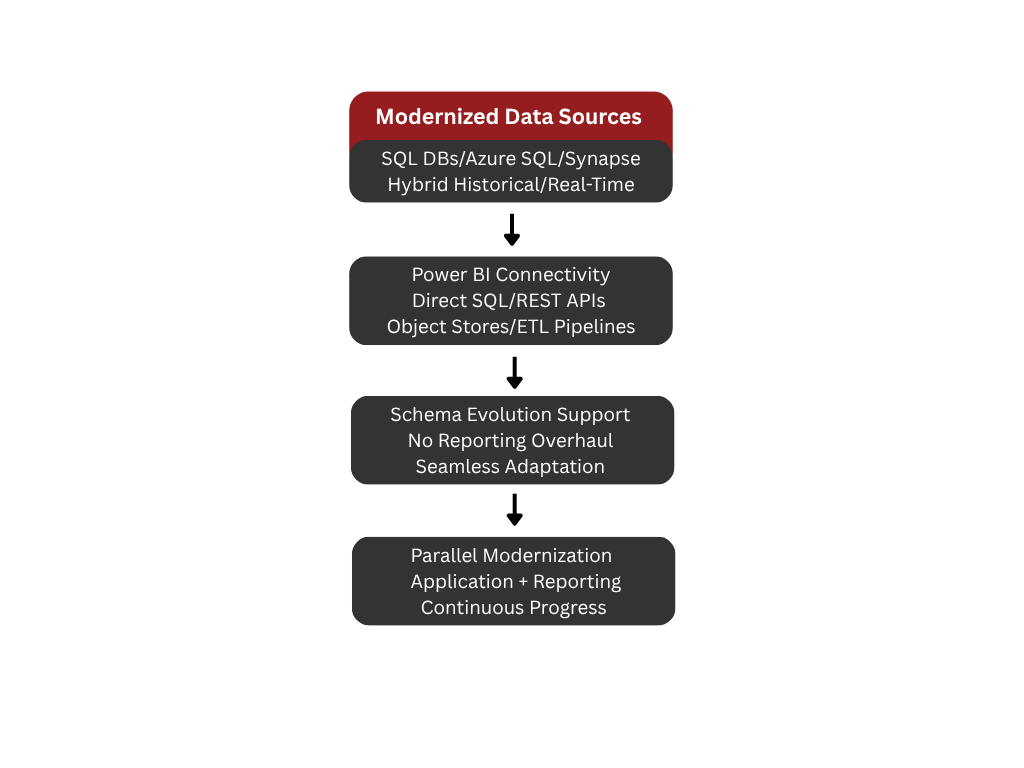
As applications are modernized and
databases restructured, Power BI serves as a flexible reporting layer that
adapts to new schemas without requiring users to overhaul their reporting
processes. In many projects, data from legacy systems is migrated into modern
SQL databases, cloud platforms like Azure SQL and Synapse, or hybrid
architectures that combine historical and real-time data feeds. Power BI
integrates seamlessly into these environments by supporting direct SQL
connections, REST APIs, object stores, and ETL pipelines built in Azure Data
Factory or SSIS. This adaptability ensures that reporting modernization
progresses alongside the broader application modernization effort, even when
data structures evolve over time.
Delivering Self-Service Analytics for
Business Users
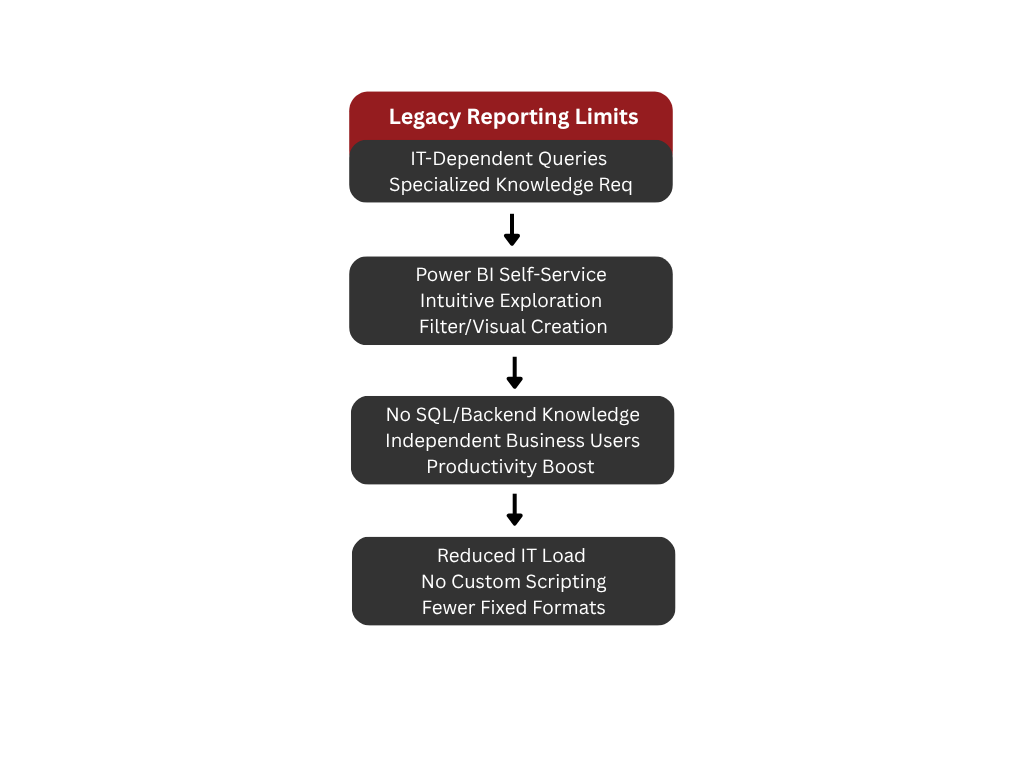
One of Power BI’s core advantages is its
ability to empower non-technical users with intuitive, self-service analytics.
In legacy environments, users often rely heavily on IT teams to run queries or
generate new reports because older reporting tools require specialized
knowledge or direct database access. Power BI resolves this problem by enabling
business users to independently explore data, adjust filters, and create their
own visuals without understanding SQL or backend architecture. This shift not only
improves productivity but also reduces the operational load on modernization
teams who no longer need to script report variations or maintain dozens of
fixed output formats.
Enhancing Visualizations and
Decision-Making
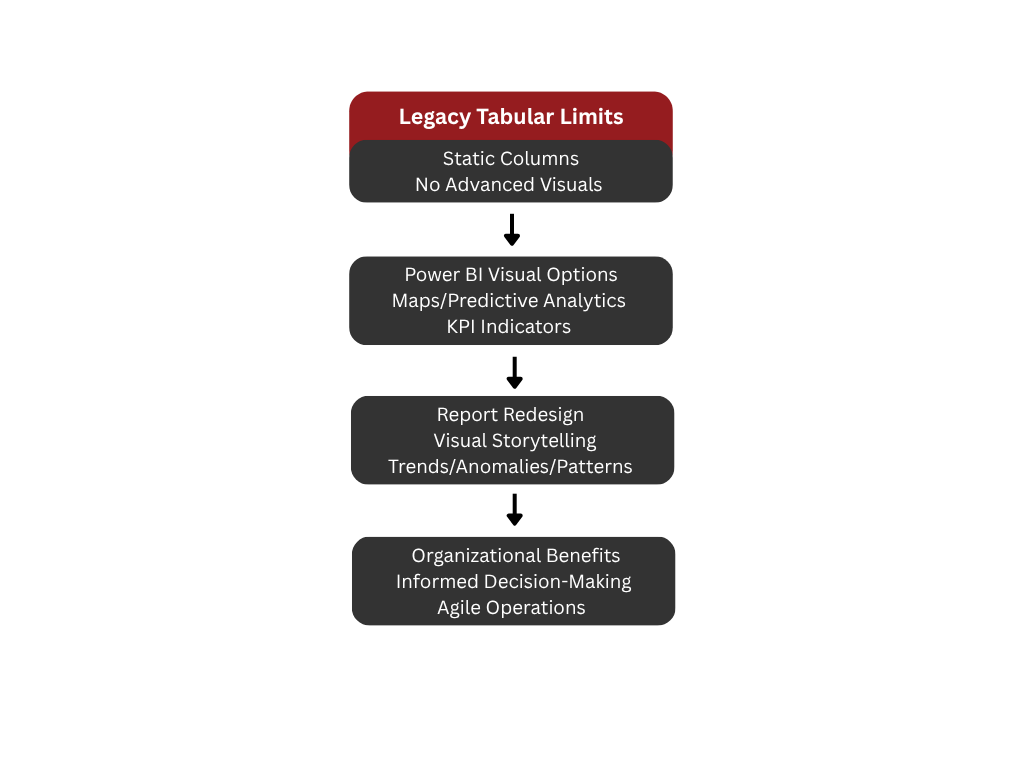
Legacy reporting tools often focus on
tabular outputs, providing little flexibility for advanced visualizations.
Power BI elevates the reporting experience by offering a diverse set of modern
visual options, from geographic maps to predictive analytics visuals and KPI
indicators. As part of modernization, organizations take the opportunity to
redesign reports so they better support executive decision-making and
day-to-day operations. Visual storytelling replaces static columns of data, and
end-users gain access to dashboards that highlight trends, anomalies, and
business-critical patterns that were difficult to see in legacy environments.
The result is a more informed and agile organization that benefits fully from
its modernized application infrastructure.
Streamlining Deployment and Governance
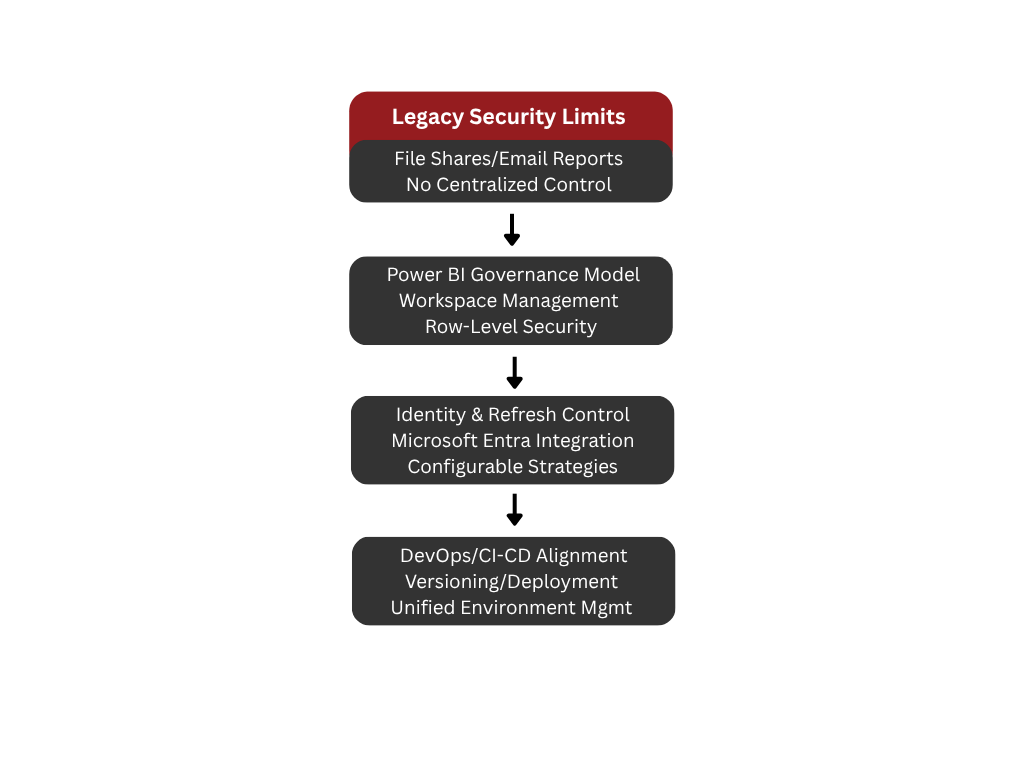
Modernization projects often introduce more
advanced deployment, security, and governance practices than those found in
legacy ecosystems. Power BI fits naturally into this framework through its
workspace management model, row-level security options, integration with
Microsoft Entra for identity control, and configurable refresh strategies.
Instead of relying on file shares or emailed reports, organizations centralize
distribution through Power BI workspaces and apps, ensuring consistency and
better audit capabilities. This governance model aligns with DevOps and CI/CD
practices typically implemented during modernization, creating a unified
approach to versioning, deployment, and environment management.
Supporting a Phased Modernization
Strategy
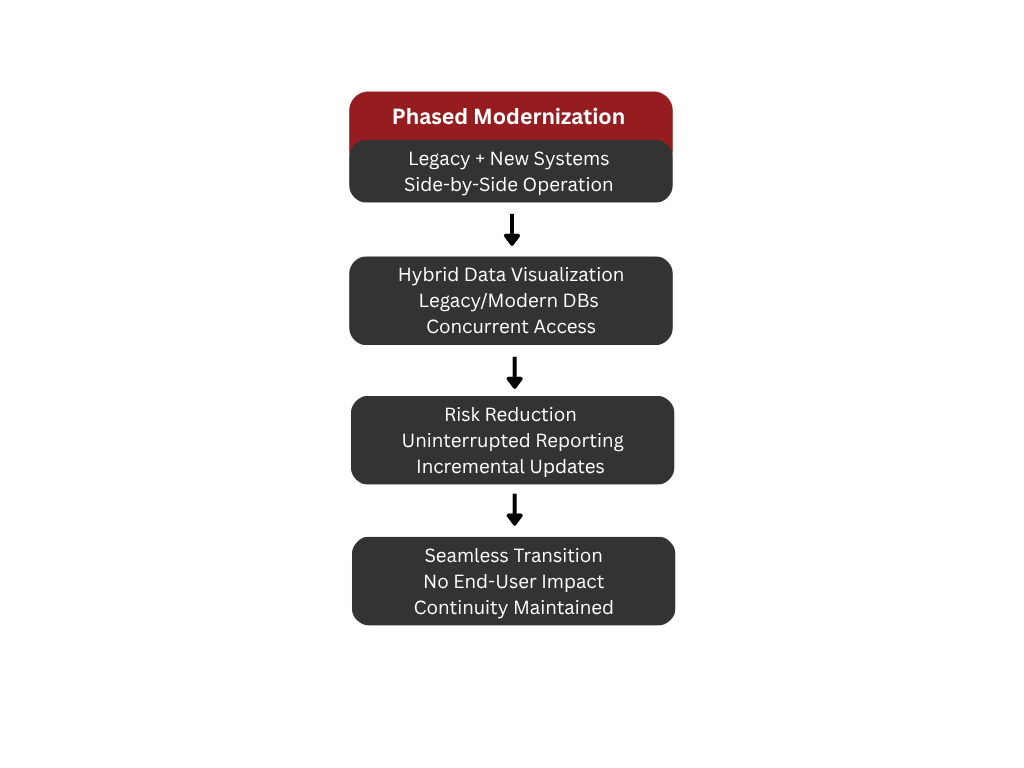
Power BI is also valuable in phased
modernization projects where legacy systems and new systems must operate
side-by-side during the transition period. It can visualize data from both
legacy and modern databases concurrently, enabling organizations to keep
reporting continuity while new functionalities come online. This hybrid
capability reduces the risk often associated with large-scale modernization
efforts by ensuring that reporting remains uninterrupted throughout the
transformation process. As data shifts from legacy systems to new platforms,
Power BI dashboards can be updated incrementally without impacting end users.
Conclusion
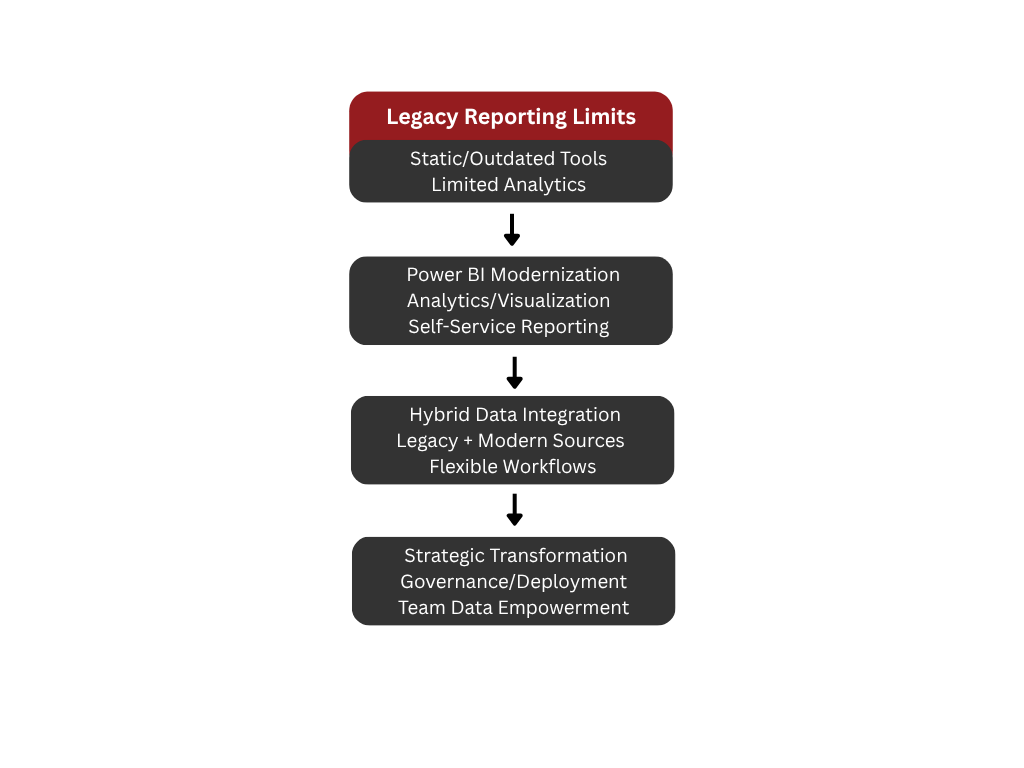
Power BI is an essential component of legacy
modernization projects because it brings modern analytics, visualization
capabilities, and self-service reporting to environments previously limited by
static and outdated tools. By integrating with both legacy and modern data
sources, supporting flexible reporting workflows, and improving governance and
deployment processes, Power BI helps organizations unlock the full value of
their modernized applications. It not only modernizes reporting technology but
also transforms how teams interact with data, making it a strategic asset in
any modernization initiative.