
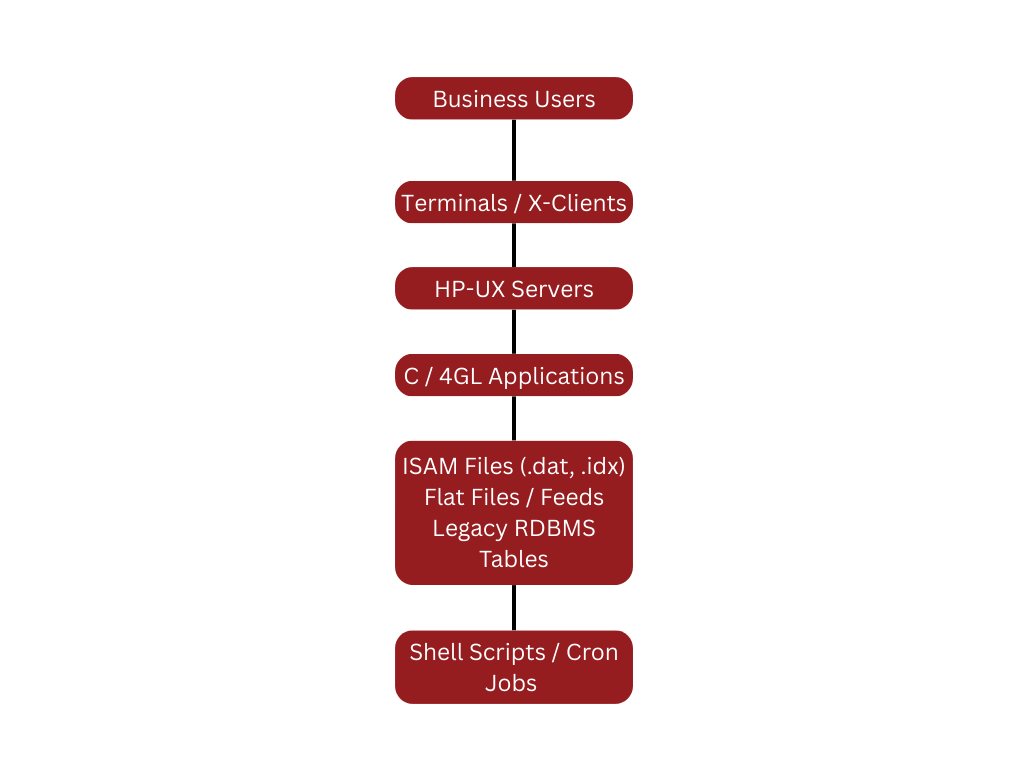
 A typical HP-UX environment has a mix of:
- C or 4GL applications
- ISAM and proprietary data files
- Flat files and export feeds
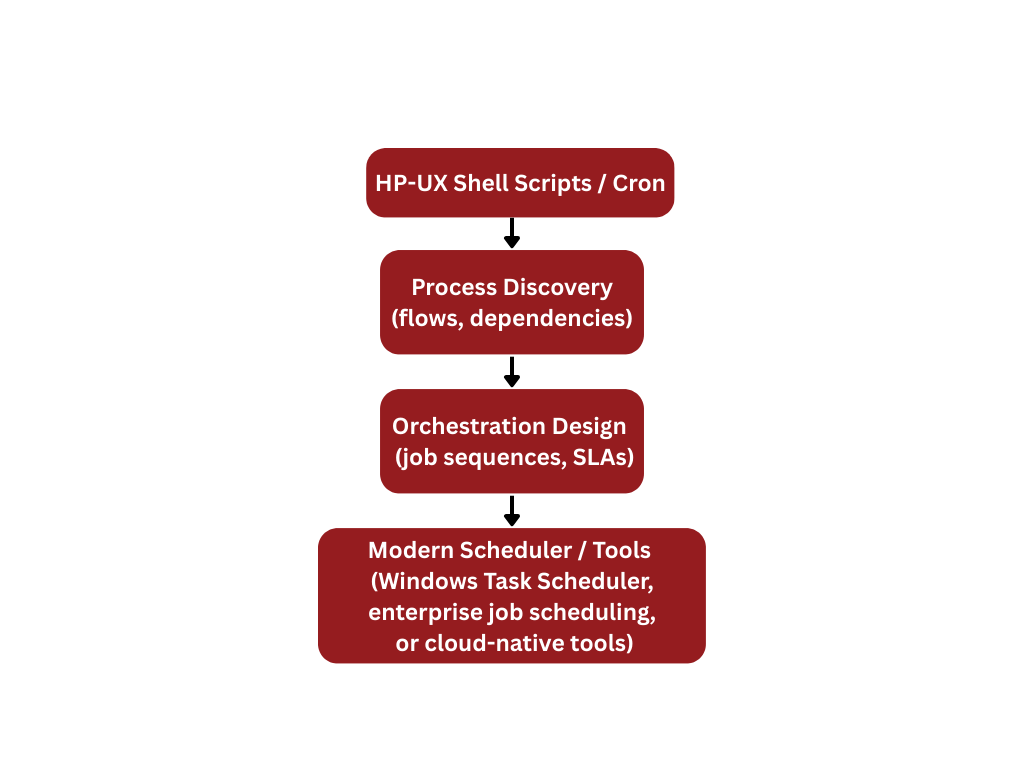
- Shell scripts and cron jobs wrapping nightly processing
- Some relational data in Oracle, Informix, or other RDBMS
Our work is to pull this environment apart safely, move the data into a modern relational model, and rebuild the application layers in Java or .NET without losing behavior.
HP-UX Data Landscape – ISAM and Beyond
Many HP-UX systems store their core data in ISAM files and related proprietary formats, sometimes alongside Oracle or another database. Common patterns include:
- Large ISAM master files for customers, accounts, policies, items
- Transaction files appended every day or every batch cycle
- Index files that enforce access paths rather than explicit foreign keys
- Control files for batch sequencing, process flags, and checkpoints
The main challenge is that business meaning is encoded in:
- Record layouts embedded in C or 4GL code
- Implicit relationships (keys and flags) instead of explicit foreign keys
- Encoded date, time, and numeric formats specific to the platform
We treat this entire data landscape as a single design to be preserved and rebuilt, not as a collection of isolated files.
HP-UX Migration Approach
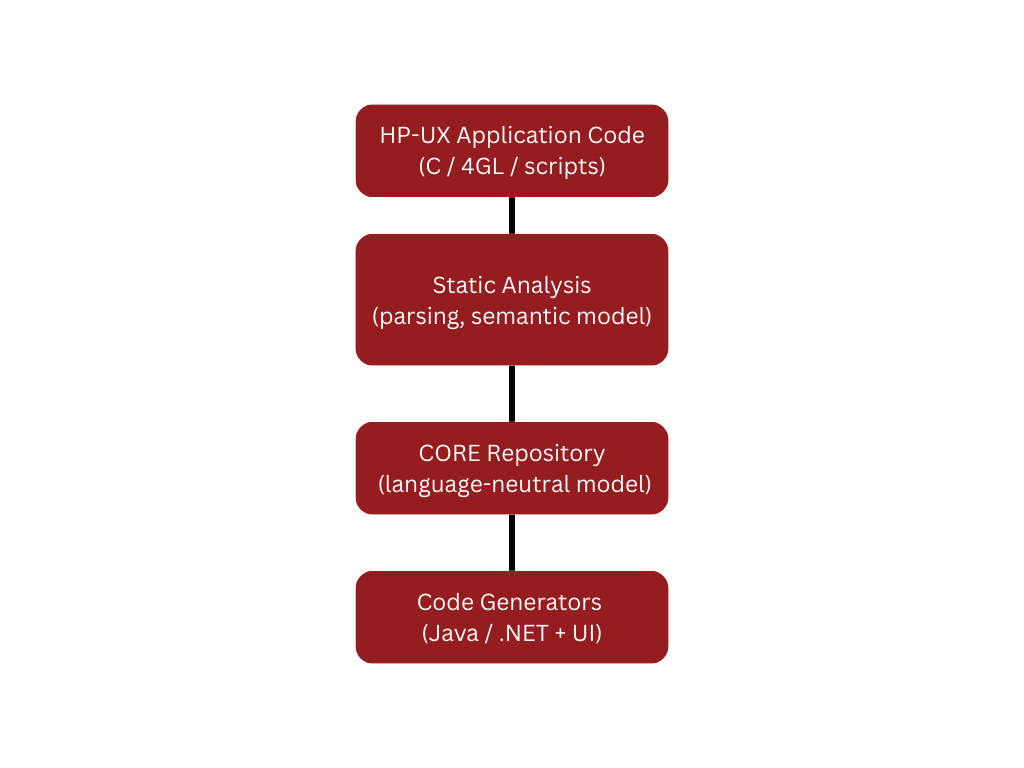
The HP-UX migration to Java or .NET follows a structured, repeatable pipeline:
Key principles:
- Preserve the original design so users recognize the application after migration
- Automate as much as possible to reduce cost and risk
- Separate data access, business logic, and presentation layers so the new system is easier to maintain and extend
Data Migration from ISAM and Legacy Files
Data migration is often the most sensitive part of HP-UX migration. We treat it as its own project stream, tightly coordinated with application migration.
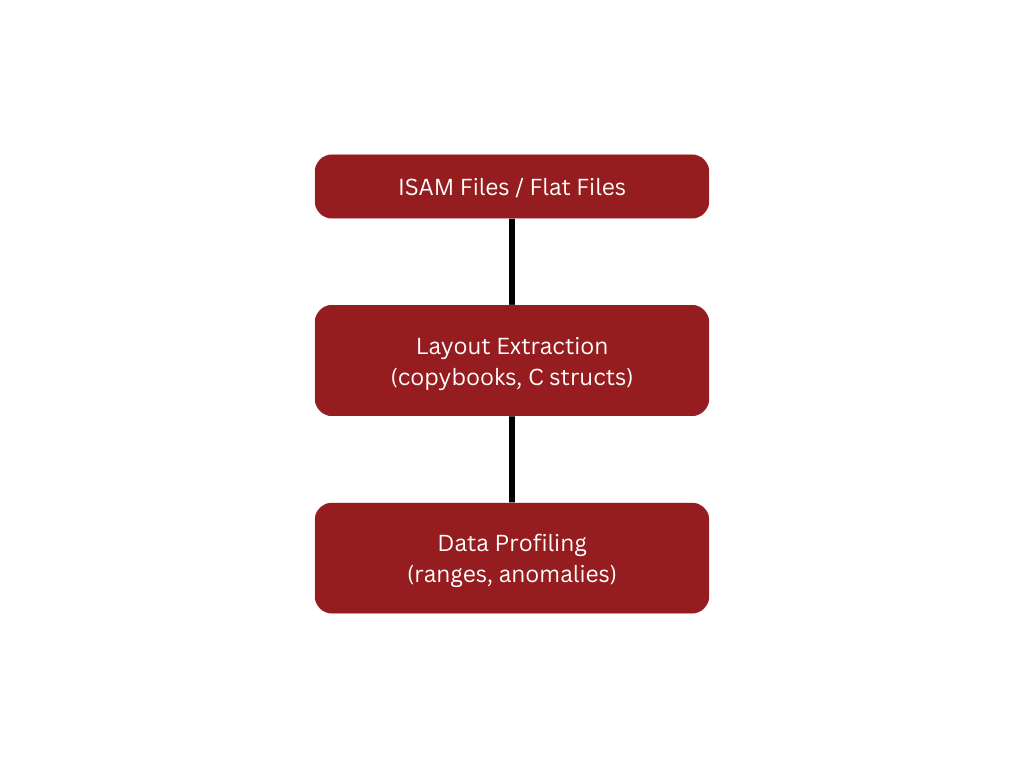
- Discovery and Profiling
We start by reverse-engineering the data model:
- Extract record definitions from C/4GL code and copybooks
- Map ISAM keys and indices to candidate primary and foreign keys
- Profile data for ranges, null patterns, and special values
- Identify codes, flags, and status fields that drive behavior.
2. Logical and Physical Target Model
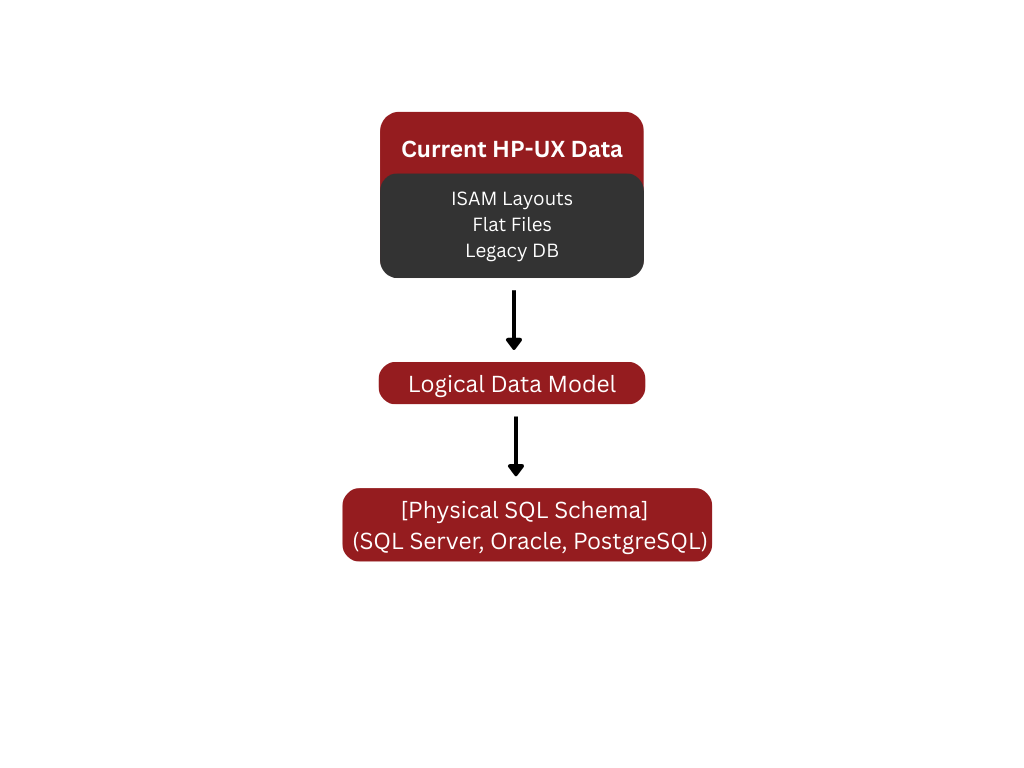
Once the existing model is understood, we design a normalized relational model that can serve Java or .NET services:
- Decide primary keys and foreign keys
- Resolve repeating groups and embedded arrays into child tables where possible
- Standardize date, time, and numeric formats
- Document lookups, reference tables, and code sets
- Automated Extraction and Transformation
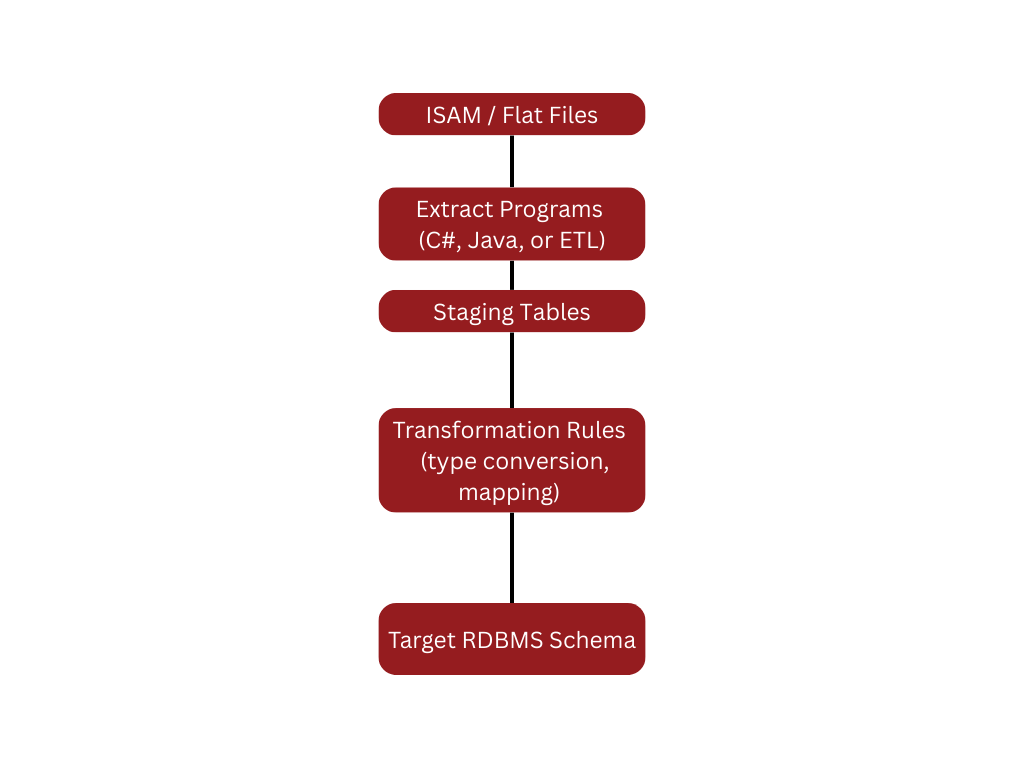 We then build automated pipelines to pull data out of HP-UX and land it in the new database:
Typical transformations:
- Converting platform-specific integers and floating-point formats into standard types
- Turning packed, zoned, or proprietary numeric formats into DECIMAL fields
- Expanding codes into lookup tables
- Resolving composite keys and surrogate keys
- Enforcing referential integrity that never existed physically on HP-UX
4. Iterative Loads and Reconciliation
We do not wait until the end of the project to test data:
- Initial dry-run loads into a non-production environment
- Row counts and balance checks between HP-UX and target database
- Selected record-level reconciliation for critical entities
The outcome is a fully defined, repeatable path for moving HP-UX data into a modern relational database that supports Java and .NET applications.
3. Forward Engineering to Java or .NET
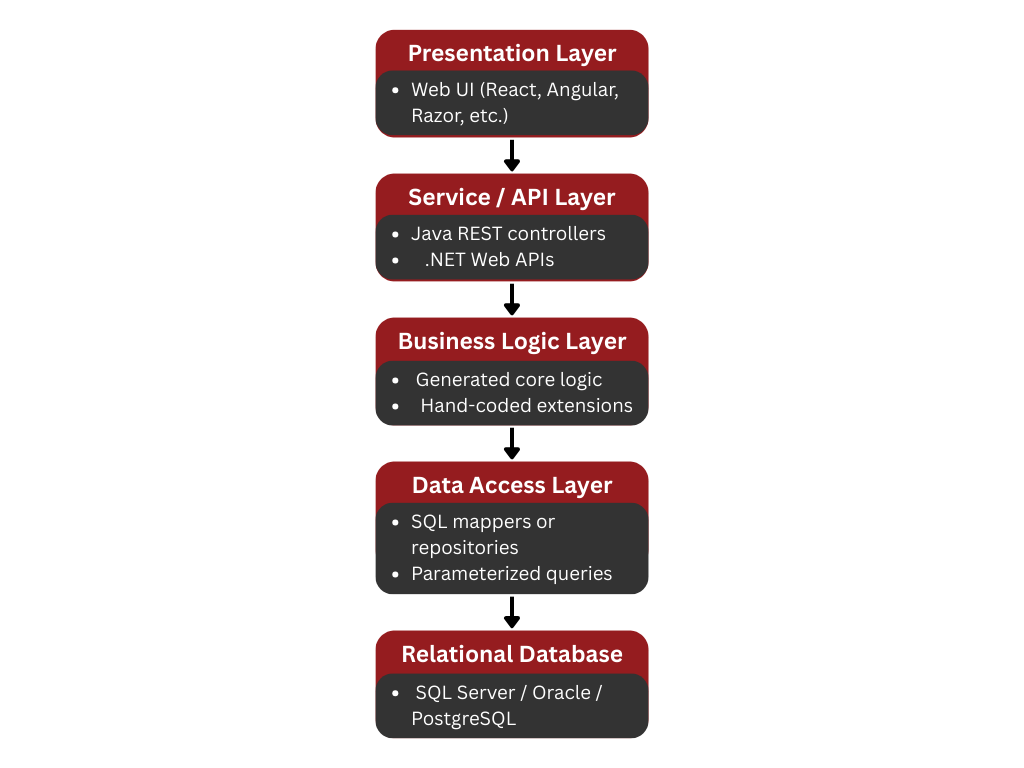
From the repository we generate:
- Java (for example Spring Boot + MyBatis or JPA) or
- .NET (for example ASP.NET / .NET 8 + Dapper or EF)
We separate concerns into clear layers:
Business rules that used to be spread throughout HP-UX applications are preserved in a structured way, making it easier to test, review, and extend them.
 From the repository we generate:
- Java (for example Spring Boot + MyBatis or JPA) or
- .NET (for example ASP.NET / .NET 8 + Dapper or EF)
We separate concerns into clear layers:
Business rules that used to be spread throughout HP-UX applications are preserved in a structured way, making it easier to test, review, and extend them.
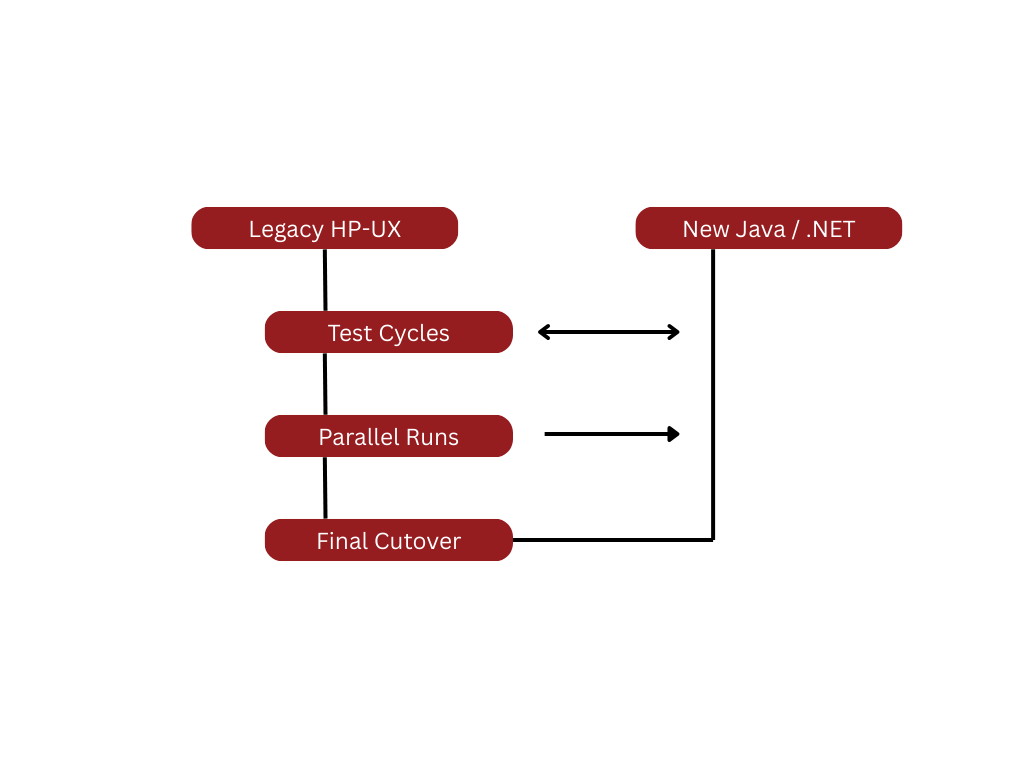
You cannot replace a long-lived HP-UX system without strong testing and a controlled cutover.
Our approach:
 Unit and component testing
2.Functional and regression testing
- Legacy HP-UX screens and reports are compared to new UI and outputs
- Business stakeholders validate key workflows
3.Data reconciliation
- Check totals, counts, and measures between HP-UX and the new system
- Validate data integrity constraints in the new database
4.Parallel runs and pilot migration
Run HP-UX and the new solution in parallel for a defined period
- Resolve discrepancies before final cutover
5.Final migration and go-live
- Execute the agreed cutover plan
- Freeze changes on HP-UX for the designated window
- Perform final delta load and activate the new environment