
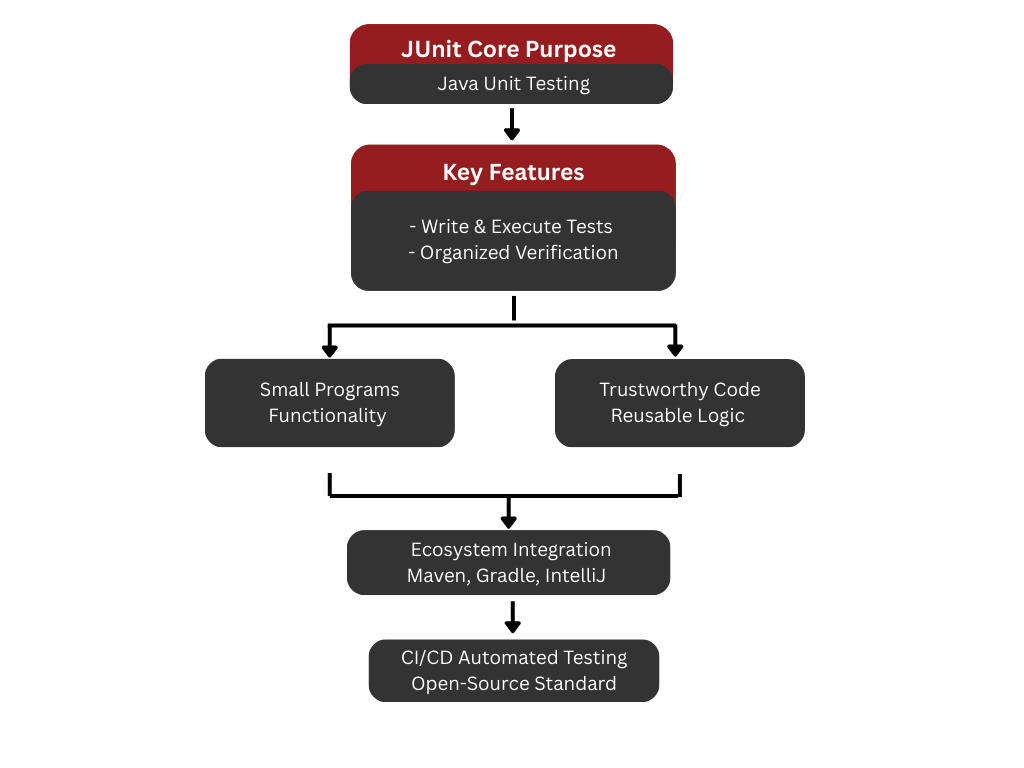
JUnit is a Java unit testing framework which supports developers to write and execute the unit tests. A unit test is a small program that determines whether a given part of program is functioning as intended. JUnit is used to write these tests, make them organized and automatically verify the outcomes during development.
It is all-purpose and versatile in application and is found in projects of personal or enterprise data application to make codes of projects trustworthy, reusable and functions as required before proceeding to release and implementation.
JUnit is open-source, and it has become a de facto standard in the Java world. It fits well in the build the tools such as Maven, and Gradle, IDEs such as IntelliJ and Eclipse, and the CI/CD platforms to conduct automated testing.
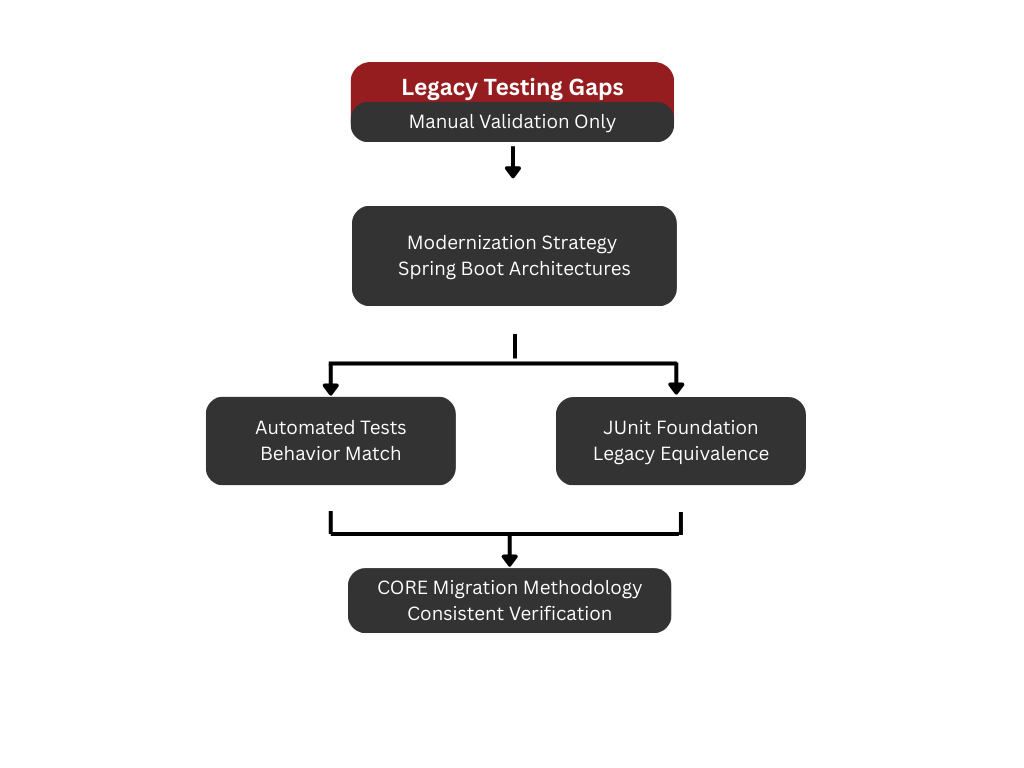
JUnit plays a vital role in the testing strategy of modernized Java applications produced through CORE’s migration methodology. Legacy systems often lack automated testing, relying instead on manual validation, operator experience, or undocumented tribal knowledge. As applications are re-engineered into modern Spring Boot and Java-based architectures, JUnit becomes the foundation for automated verification, ensuring that modernized components behave consistently with their legacy counterparts.
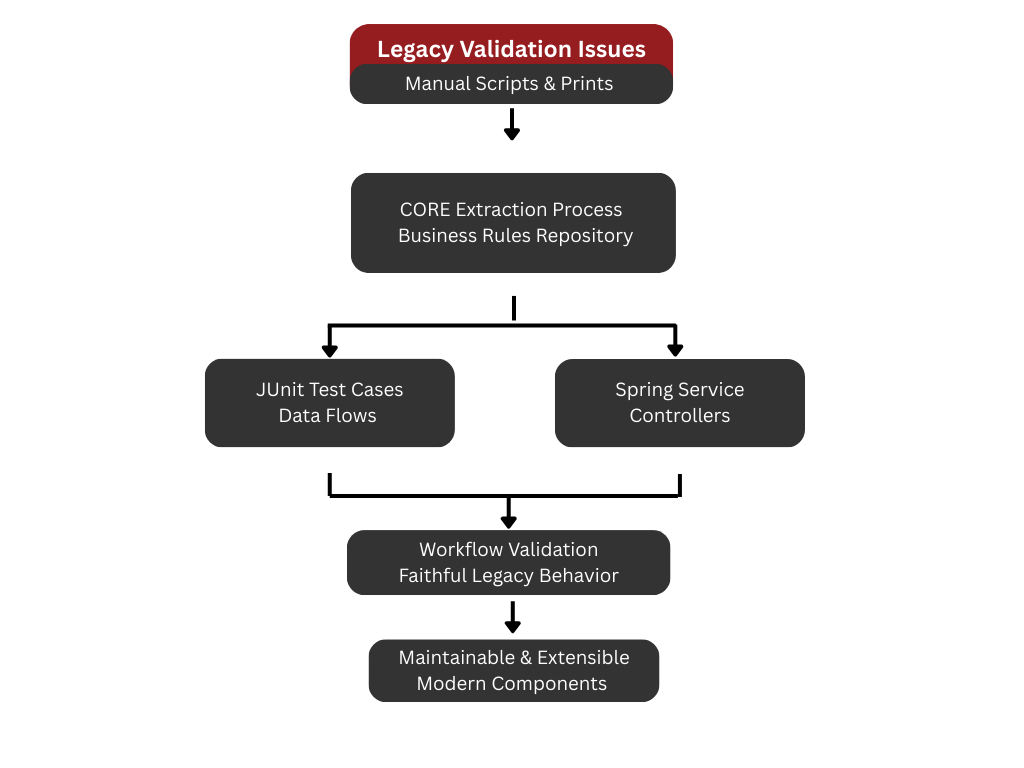
Legacy applications typically do not provide structured automated tests. Instead, validation is often performed through decades-old test scripts, manual data checks, ad-hoc verification, or embedded print statements. During modernization, CORE extracts the business rules, data flows, and logic pathways into the CORE Repository. These recovered definitions guide the creation of JUnit test cases that mirror legacy behavior. As business logic is converted into Spring services, controllers, and batch processors, JUnit tests are written to validate both individual functions and coordinated workflows. The goal is to ensure that every migrated component faithfully reproduces the behavior of the legacy system while becoming easier to maintain and extend.
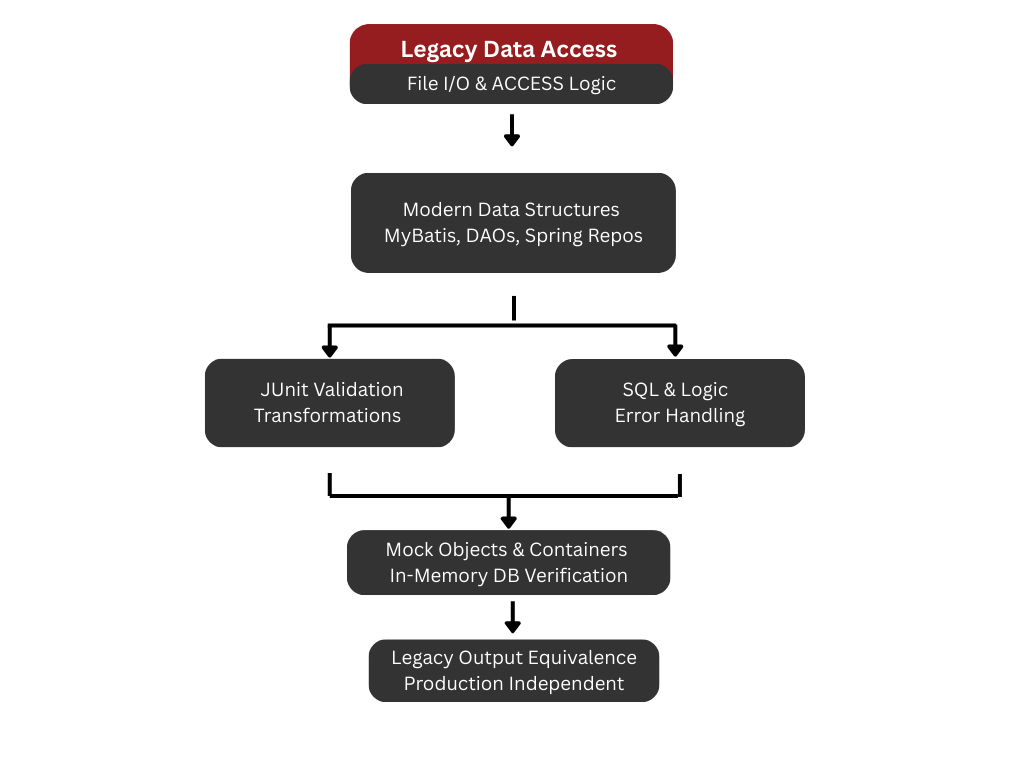
When data structures are normalized into relational schemas and accessed through MyBatis, DAOs, or Spring Data repositories, the interactions between business logic and data must be continuously verified. JUnit tests provide this assurance by validating transformations, conditional logic, SQL queries, and error-handling paths. As legacy file I/O, ACCESS logic, or procedural transformations are re-implemented inside modern services, JUnit tests confirm that outputs match the equivalent legacy results. The use of mock objects, test containers, and in-memory databases further strengthens test coverage without introducing production dependencies.
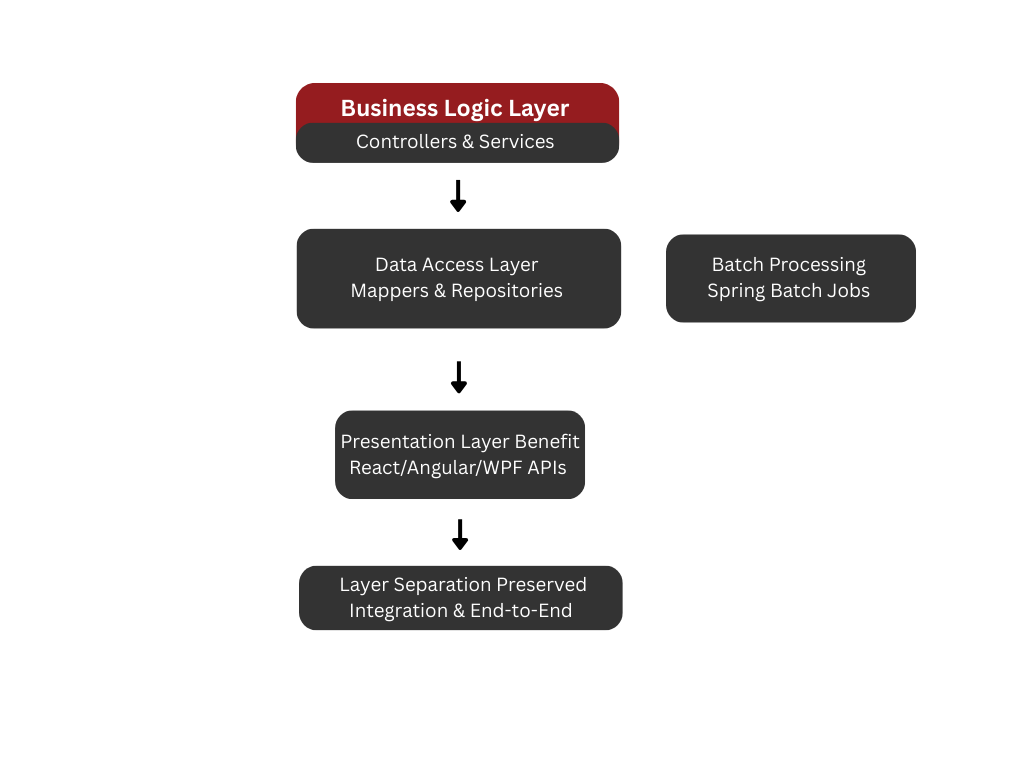
JUnit resides primarily within the Business Logic Layer, testing controllers, services, and workflow components. Its reach extends into the Data Access Layer through integration tests that validate Mapper behavior, repository logic, and database interactions. This layered testing approach helps preserve the separation of concerns introduced by the migration. The Presentation Layer, whether built with React, Angular, or WPF, relies on its own testing frameworks but often benefits indirectly from JUnit-backed REST API stability. As batch processing is migrated into Spring Batch, JUnit test suites are created to validate Step logic, ItemReaders, ItemWriters, and end-to-end Job flows.
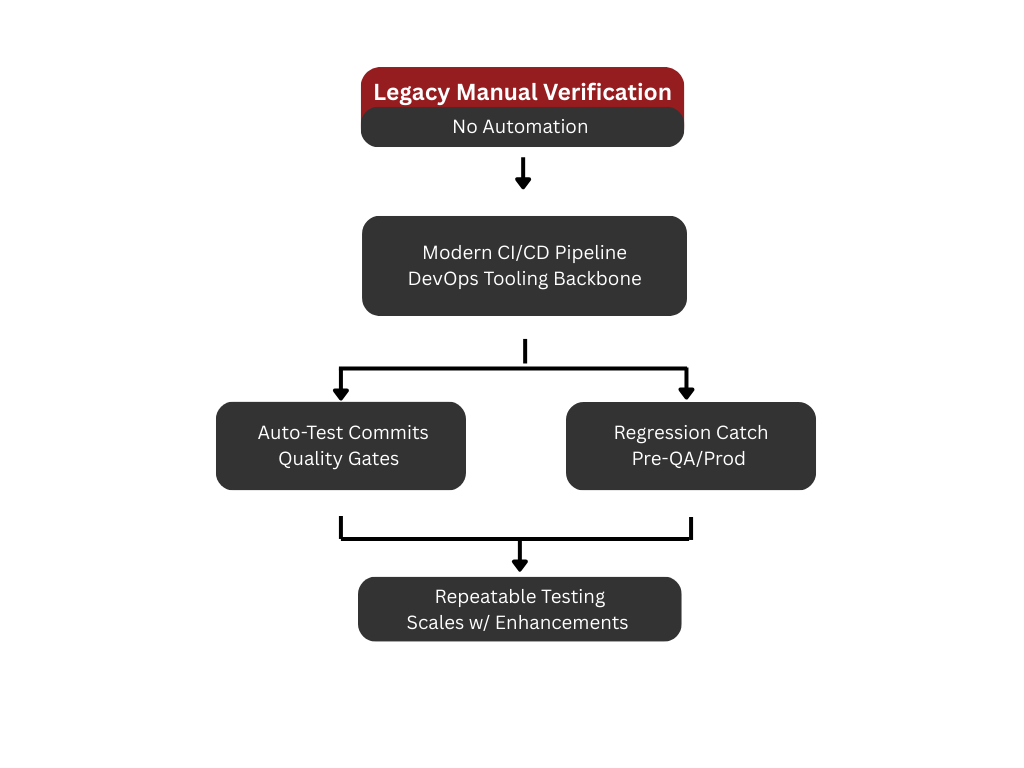
JUnit seamlessly integrates with CI/CD pipelines and DevOps tooling, forming the backbone of automated quality gates. As tests run automatically on each commit or deployment, regressions are caught early—long before they reach QA or production environments. This level of automation contrasts sharply with the manual verification processes found in legacy systems. JUnit enables teams to achieve repeatable, consistent testing that grows alongside the application, ensuring the modernized system remains stable throughout future enhancements.